Event Configuration & Landing/Home Page
The settings for an event can be found in Event Menu -> Manage Event - Event Settings 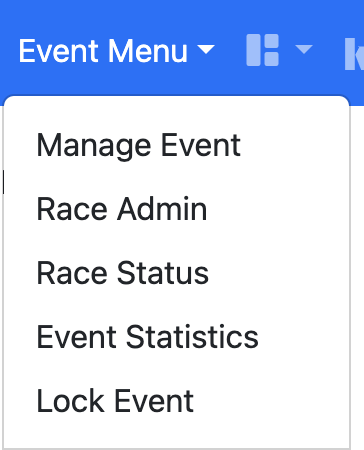
The settings are grouped into 2 sections - Event Info which has the main event controls and Event Styles which allows for customisation of the Landing/Home page
Event Info
The first part of the page allows you to set the main information about the event and how it will appear across the wider kSail Events Portal
Event Name - Full name of the event and is displayed at the top of the Event Landing/Home Page
Short Event Name - A suitable truncated event name used in Menus and headers where space is limited
The Event Names can only be changed by the kSail team.
Start/End date - The date and times that your Event event starts and ends. The date is displayed on the Event Landing/Home Page and is used across the kSail Event Portal to help people find your event
Display Schedule Menu From - The date and time that the Schedule Menu and links will become available to the public, users with the correct permissions will always see this displayed. By default the Schedule Menu will always become available 36 hours before the Start date value even if a value closer to the Start date is chosen.
Display Results Menu From - The date and time that the Schedule Menu and links will become available to the public, users with the correct permissions will always see this displayed. By default the Results Menu will always become available from the Start date value even if a value after the Start date is chosen.
Event local timezone - This allows you to control the timezone your event is happening in. Our servers by default calculate dates and times in UTC.
Please note that when entering dates and times your computer may adjust these to your local timezone which may have a knock-on effect if your event is happening in a different timezone. If you are working across timezones we suggest you contact the kSail team to confirm that the dates and times are stored and will operate as expected.
Event Venue - a free text entry allowing you to put a fully customisable location name. This is displayed on the Event Landing/Home Page and some of the kSail Event Portal pages.
Event Host - the club who is acting as the organiser. This will be displayed on the Event Landing/Home Page and is used across the kSail Event Portal to help people find your event. If the club you need is not listed please contact the kSail team who are able to adjust this list.
Maximum number of Entries - Not currently implemented
Format - This controls which menus, features and display pages are available across your event. This can be Fleet, League, Match, Team or Unknown.
Publish - When set to Off then the event can only be viewed by those users who are logged in with the correct permissions. This is useful during the setup period so you can choose when to 'Go Live'
Event Styles
The second part of the page allows you to control the design style of your event and adjust the text on the Event Landing/Home Page
Site Style Theme - this can either be blank or can be the name of any Bootswatch Theme in lowercase. NB whilst all Bootswatch themes are available not all have colours that provide good readability. kSail can also provide club custom stylesheets that can be specified here.
Additional Stylesheet - this should only be specified if directed by the kSail team.
Event image url - a link to the image which will be used in the top right of the Event Landing/Home page. The image should have a transparent background and the link begin https://
Event logo url - a link to the image which will be used in the top left of the Event header and in some locations on the wider kSail Event Portal to help users identify your event. The image should have a transparent background and the link begin https://. If it is not specified then in some locations your Event image url will be used.
Event introduction text - This is where you can write the text to be displayed in the main body area of your Event Landing/Home page. The editor will allow you to format text and add links, whilst it is possible to enter html directly a number of tags and any scripts will be automatically removed upon save. NB if the kSail team have created some custom code for your page please do not make any amendments within the editor otherwise the customisations will be lost. Likewise if you would like some custom html inserting then please contact the kSail team who will be happy to do this for you.