Create or Update a Stage/Group/Division
To work with Stages within your event, open the Manage Event screen from the Event Menu
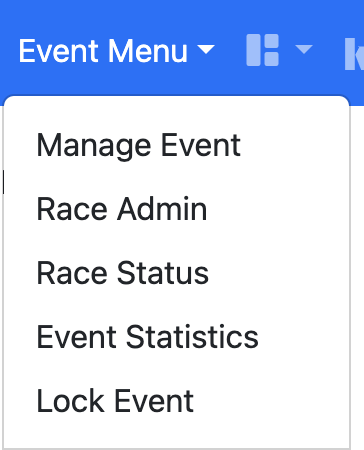
To Create a New Stage choose + New Stage. From the Stage you can then Add a Group/Division
To Edit a Group/Division, find the Stage you wish to adjust and choose Edit Group/Division Details
The fields control how the Group/Division works, not all fields are available for all formats. Once a Group/Division has begun it is not advisable to adjust the Engine, Template or remove Flights (additional can be selected).
Secondary name - This is the Group/Division description and is only required if you have multiple groups within the same stage e.g. Gold, Silver, Bronze. It is displayed on the schedule alongside each race
Group order - Where you have multiple groups in the same stage they should all have different Group orders, e.g. Gold - Group 1, Silver - Group 2 and so on
Scoring Format - This controls if the automated Scoring and Tiebreaks should be applied. Unknown Scoring will allow you to apply your own rules and ranks.
The system will currently automatically score and tiebreak for Appendix A Low and High Point (no discards), Appendix C Match Racing, Appendix D Team Racing, HLS Team Racing, Win-Points Team Racing and Swiss League (Standard Double Change and kSail Single Change). The methods used and tiebreak rules for Sailing Instructions can be obtained by contacting the kSail team.
The system will currently automatically score and tiebreak for Appendix A Low and High Point (no discards), Appendix C Match Racing, Appendix D Team Racing, HLS Team Racing, Win-Points Team Racing and Swiss League (Standard Double Change and kSail Single Change). The methods used and tiebreak rules for Sailing Instructions can be obtained by contacting the kSail team.
Race Creation Engine - Predefined templates have been created by the kSail team using a number of optimisation factors, Swiss Schedule will allow dynamic scheduling of teams
Based on Template - The predefined template you would like to use to generate a race schedule. There is a library of schedules available to all users and advice on which to choose is available from the kSail team.
App. D Percent - When using the Appendix D4.3 tiebreaks, this allows you to adjust from the standard requirement to complete 80% of races.
Number of teams - For Swiss League schedules this defines the number of teams within the group
Swiss 'k' value - For Swiss League schedules this defines the number of races where teams should not be scheduled against each other
Flights/Boats for stage - These are the groups of boats that will be used at the event. To add your flights/boats please contact the kSail team.
Last Race - When this value is set the screens which display the schedules will not show race number after this value. Setting to 0 will hide all races within the Group/Division
Background colour - Secondary name is displayed on the schedules within a coloured pill, this sets the colour for the pill such that each Group for a Stage can have its own colour.